What Does Merchandise Mockup Mean for Designers
- Vain.

- Jun 23
- 8 min read

A merchandise mockup is a digital visual preview showing your design applied to a physical product, such as a t-shirt, mug, or poster, before a single item is manufactured. The industry standard term is “product mockup,” and it sits at the center of every serious design and marketing workflow. Tools like Adobe Photoshop, Printful, and Canva have made mockup creation accessible to designers and marketers at every level. Understanding what a merchandise mockup means is the first step toward building a visual presentation strategy that saves time, cuts costs, and wins client approval.
What does merchandise mockup mean in design and marketing?
A merchandise mockup is a static, high-fidelity image that shows exactly how a design will look on a finished product. It does not move, click, or respond. It simply shows. That distinction matters more than most designers realize, because the entire purpose of a mockup is to communicate visual intent with clarity and confidence.
The definition of merchandise mockup covers products across every category. Apparel mockups show t-shirts, hoodies, and hats with front and back views. Accessory mockups cover mugs, phone cases, tote bags, and posters. Packaging mockups display box designs, labels, and wrapping before a single unit ships. Each of these formats answers the same core question: what will this look like in the real world?

Mockups sit between a rough concept sketch and a finished product. They are detailed enough to represent the final result but fast enough to produce without a factory. Platforms like Printful generate mockups automatically when you upload a design. Canva offers drag-and-drop mockup templates for non-designers. Adobe Photoshop gives experienced designers full control through layered smart-object files.
How do merchandise mockups differ from prototypes and wireframes?
Mockups focus on visual presentation and branding, while prototypes show product function and interactivity. That single distinction separates the two artifacts completely. A prototype of a mobile app lets you tap through screens. A mockup of a branded phone case shows you exactly how the artwork looks on the device. Neither replaces the other.
Wireframes sit at the opposite end of the fidelity spectrum. They are low-detail layout sketches that map structure without color, typography, or imagery. A wireframe for a product page shows where the image, title, and button will go. A mockup shows what the product image actually looks like. Confusing the two wastes review cycles and frustrates stakeholders.
Artifact | Fidelity | Purpose | Interactivity |
Wireframe | Low | Layout and structure | None |
Mockup | High | Visual design and branding | None |
Prototype | Medium to high | Functionality and user flow | Full |
Clear distinctions between these three prevent confusion and improve team workflows. When a client asks for “something to look at,” they almost always want a mockup, not a prototype. Naming the artifact correctly sets the right expectations before the review even begins.
Mockups also carry a specific responsibility: they must represent color, typography, and placement with accuracy. A mockup that shows the wrong shade of navy or a logo that sits too high on a chest creates problems downstream. The visual truth a mockup presents becomes the standard everyone measures the final product against.
Why merchandise mockups matter for designers and marketers
Apparel mockups provide realistic previews of clothing designs, letting brands display products without costly physical samples. That cost avoidance is real and significant. Physical samples require production time, shipping, and revision cycles that can stretch weeks. A mockup delivers the same visual clarity in hours.
The marketing value is equally strong. Mockups generate ready-to-use assets for social media, email campaigns, and e-commerce product pages before inventory exists. A brand launching a new hoodie can run Instagram ads using a lifestyle mockup weeks before the first unit ships. That lead time builds audience anticipation and validates demand before committing to a production run.
E-commerce product mockups reduce shopper hesitation by showing realistic images with accurate product colors and textures, which increases conversion rates. Photorealistic images let customers visualize purchases confidently. A flat, unrendered design file placed on a white background does not sell. A well-lit mockup showing the design on an actual garment does.
Mockups also serve the internal design process. Testing color variations, swapping typography, or repositioning a logo takes minutes in a Photoshop smart-object file. Without mockups, every change requires a new physical sample or a leap of faith. With them, designers iterate visually and present options side by side.
Client approval: Mockups give clients a concrete visual to approve, reducing back-and-forth over abstract descriptions.
Design testing: Color and layout variations can be compared quickly without reprinting or resampling.
Marketing assets: Finished mockups go directly into campaigns, product pages, and pitch decks.
Cost control: Skipping physical samples for early-stage reviews saves production budget for final runs.
Pro Tip: Present at least two mockup variations in every client review. Giving clients a choice focuses their feedback on preferences rather than vague requests for “something different.”
Best practices for creating realistic and effective merchandise mockups
High-quality merch mockups match exact product variants to the design being presented. A unisex crew-neck template does not accurately represent a fitted women’s cut. A standard mug template does not show a tall travel tumbler. Matching the template to the specific product variant is the single most important step in mockup credibility.
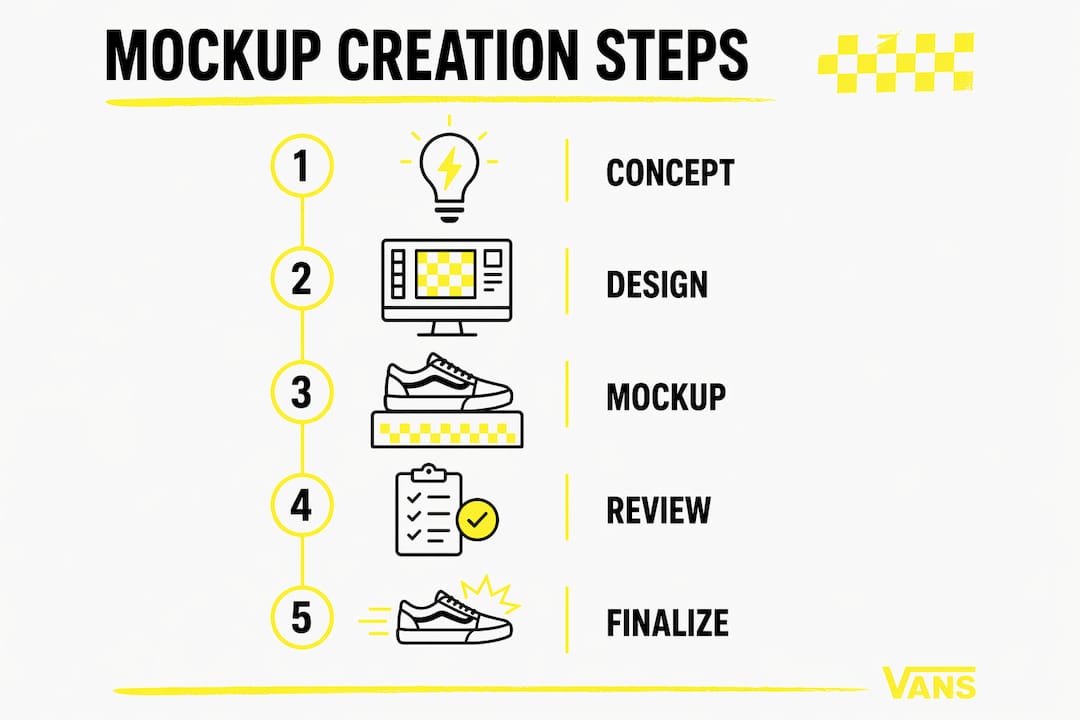
The workflow for professional-grade mockups follows a clear sequence.
Select a product-specific template. Choose a Photoshop PSD file or platform template that matches the exact product type, color, and variant you are presenting.
Place your design in the smart object layer. Photoshop smart-object templates automatically apply realistic shadows, fabric wrinkles, and lighting when you update the design layer.
Check color accuracy. Verify that your design colors match the intended print specification. Screen colors and print colors differ, so use your brand’s color codes as the reference.
Adjust placement and scale. Confirm that logos, text, and graphic elements sit in the correct position on the product. A chest logo placed too high or too low changes the entire feel of the garment.
Review lighting and shadow consistency. Shadows and highlights must align with the mockup’s light source. Mismatched lighting breaks the illusion of realism immediately.
Export at the correct resolution. Use 300 DPI for print presentations and 72 DPI for digital assets. Exporting at the wrong resolution creates blurry or oversized files.
Present with context. Place the mockup on a clean background or within a lifestyle scene that matches the brand’s visual identity.
Treating mockups as static visual truth assets rather than interactive prototypes focuses team feedback on visual design elements like typography and color. Tell reviewers exactly what to evaluate. Ask them to comment on color, placement, and overall feel. Avoid open-ended questions that invite feedback on product function or user experience, which a mockup cannot address.
Pro Tip: Use Canva for fast client-facing mockups when speed matters. Switch to Photoshop smart-object files when you need precise control over shadows, fabric texture, and color fidelity.
What are the main types of merchandise mockups?
Different mockup styles include lifestyle, flat lay, and model-based presentations to suit different marketing needs. Each style serves a distinct purpose, and choosing the wrong one for the context weakens the presentation.
Mockup style | Best use case | Key strength |
Flat lay | Product detail pages, catalogs | Shows design clearly without distraction |
Model-based | Apparel, lifestyle brands | Communicates fit, scale, and wearability |
Lifestyle | Social media, ad campaigns | Places product in an aspirational context |
Ghost mannequin | Apparel e-commerce | Shows garment shape without a visible model |
Apparel mockups cover the widest range of formats. T-shirt mockups typically include front, back, and detail views. Hoodie mockups add hood-up and hood-down variations. Hat mockups show front, side, and three-quarter angles. Apparel mockups for fashion brands have expanded significantly in 2026, with platforms offering hundreds of variant-specific templates for everything from fitted crop tops to oversized streetwear cuts.
Accessory mockups require the same level of specificity. A phone case mockup built for an iPhone 14 does not accurately represent an iPhone 15 case. Using mockups crafted for specific product models increases trust and improves buyer confidence. The same principle applies to mugs, tote bags, and poster frames.
Lifestyle mockups carry the highest emotional impact. They show a product in use, worn by a person, placed on a desk, or held in a hand. That context tells a story that a flat lay cannot. For social media campaigns and paid advertising, lifestyle mockups consistently outperform isolated product images because they help the viewer picture themselves using the product.
The role of graphic design merchandise in brand identity depends heavily on how well mockups represent the final product. A poorly rendered mockup undermines trust in the brand itself. A photorealistic one builds it.
Key takeaways
A merchandise mockup is the most efficient tool a designer or marketer has for communicating visual intent, testing design variations, and building marketing assets before production begins.
Point | Details |
Core definition | A mockup is a static digital preview showing your design on a product before manufacturing. |
Mockup vs. prototype | Mockups show appearance only; prototypes show function and interactivity. |
Match the template | Use product-specific and variant-specific templates to maintain credibility and accuracy. |
Marketing value | Mockups generate campaign-ready assets and reduce shopper hesitation on e-commerce pages. |
Workflow efficiency | Photoshop smart-object files and platforms like Printful speed up iteration without sacrificing quality. |
Why precision in mockups is the difference between a sale and a skip
Working closely with creative teams and brand clients over the years, I have seen one pattern repeat itself more than any other. Designers who treat mockups as a formality produce work that gets revised endlessly. Designers who treat mockups as the primary communication tool produce work that gets approved on the first round.
The reason is simple. A precise, photorealistic mockup removes ambiguity. When a client sees their logo sitting exactly where it will sit on the finished garment, under accurate lighting, in the correct color, there is nothing left to imagine. The conversation shifts from “I think I want something like this” to “yes, that is exactly right.” That shift saves hours of revision time and builds the kind of client trust that generates repeat work.
The other lesson I keep returning to is this: the mockup is not the end of the creative process. It is the clearest possible checkpoint within it. Use it to catch problems early, align your team, and give your client something concrete to respond to. The brands that do this consistently produce better merchandise and spend less doing it.
— Neville
Vainnewyork’s approach to product visualization
Vainnewyork builds every product presentation around photorealistic mockups that show exactly what you are getting before you buy. The creative team at Vainnewyork treats each mockup as a craft object in its own right, matching lighting, texture, and color to the actual product with care.
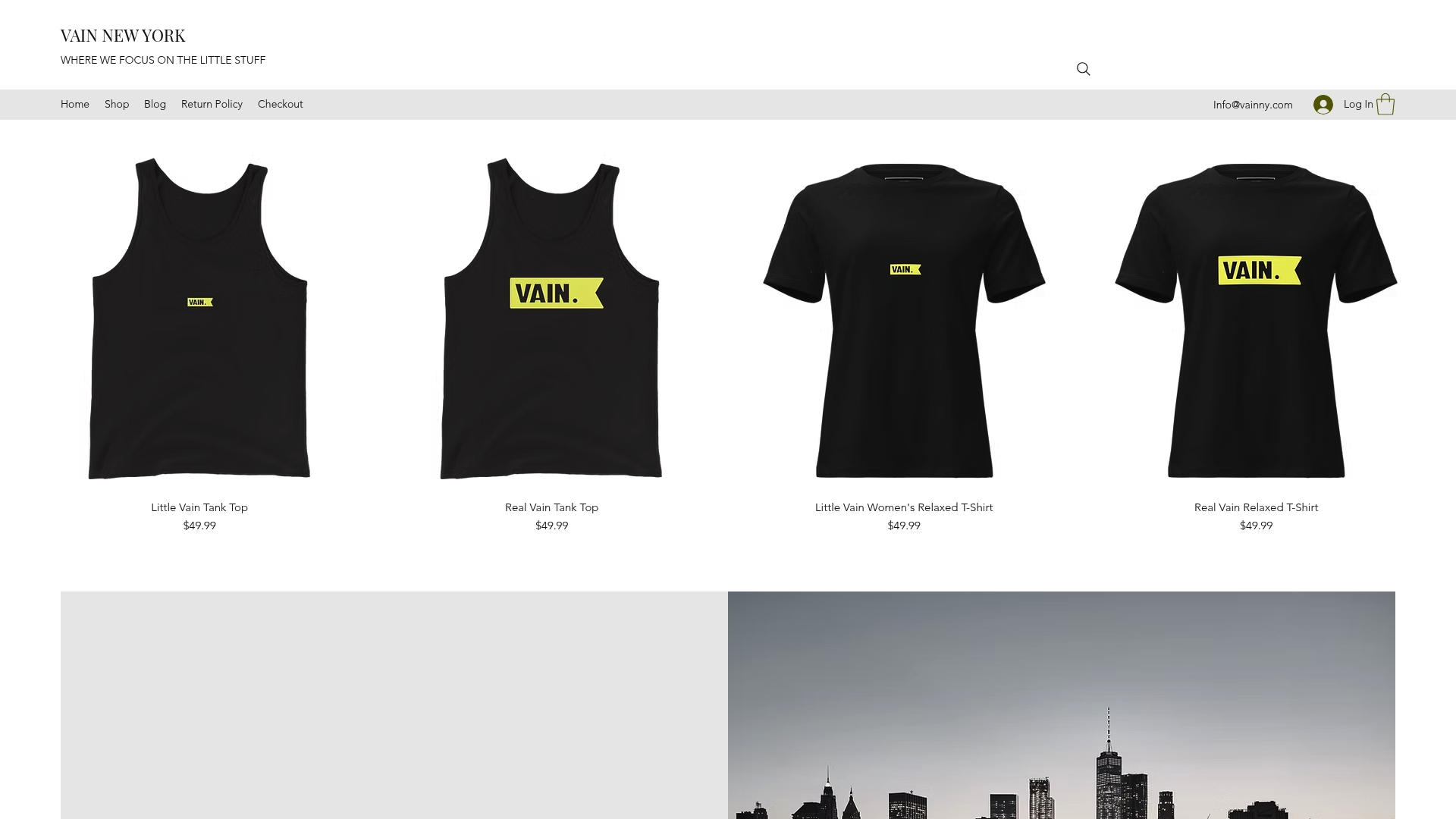
Every piece in the Vainnewyork shop is presented through high-fidelity mockups that reflect the brand’s commitment to visual precision. From apparel to accessories, each product page gives you a clear, honest preview of the finished item. The Little Vain Auburn One-Piece Swimsuit is a strong example of how detailed mockup presentation builds buyer confidence before a single order is placed.
FAQ
What is a mockup for merchandise?
A merchandise mockup is a digital image showing your design applied to a physical product, such as a t-shirt or mug, before production. It is static and focuses entirely on visual appearance, not product function.
How do I create a merchandise mockup?
Place your design into a product-specific Photoshop smart-object template or use a platform like Printful or Canva. Adjust placement, check color accuracy, and export at the correct resolution for your intended use.
What is the difference between a mockup and a prototype?
A mockup shows how a product looks. A prototype shows how it works. Mockups are static and focus on visual design, while prototypes include interactive or functional elements.
What types of merchandise mockups exist?
The main types are flat lay, model-based, lifestyle, and ghost mannequin mockups. Each suits different marketing contexts, from product detail pages to social media campaigns.
Why do merchandise mockups improve e-commerce sales?
Photorealistic mockups reduce shopper hesitation by showing accurate colors, textures, and product scale. Customers who can visualize a product clearly are more confident in their purchase decision.
Recommended
Comments