Boost Watch Time with Campaign First Lookbook Video Production

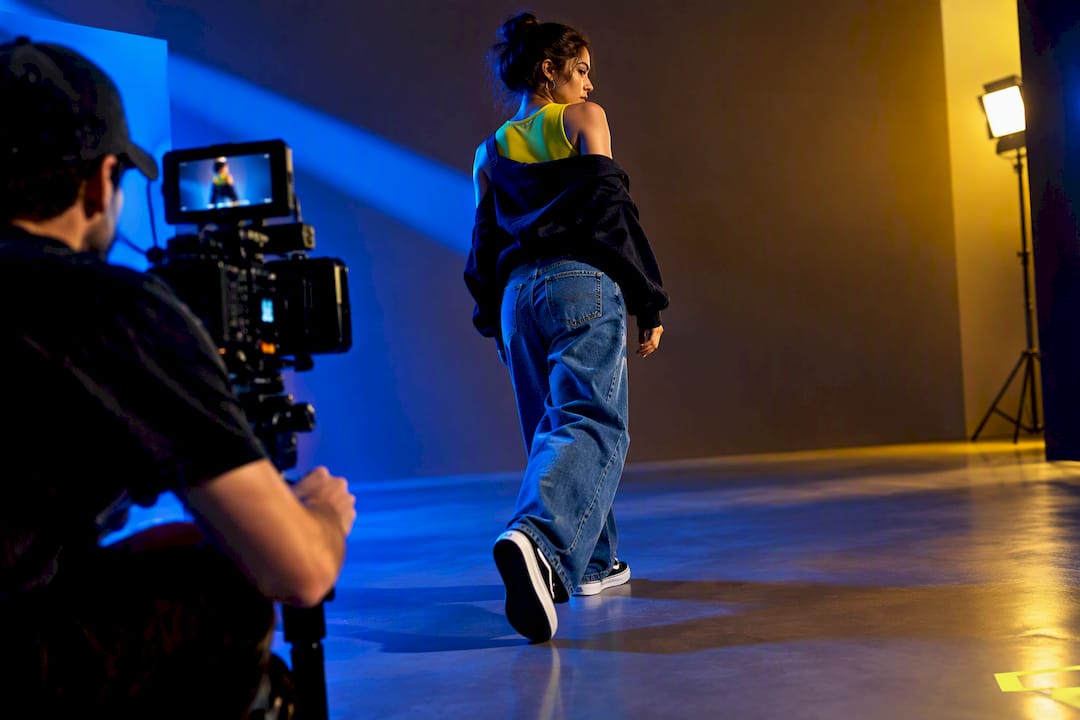
A motion lookbook is a short campaign of video clips that shows garments in movement, built around light, fabric, and pacing rather than static poses. The two practical paths to get one are hiring a professional studio for a done-for-you production, or running a capture-first DIY or hybrid shoot yourself. Either way, this guide gives you the planning template, shot list, edit recipes, and deliverable specs to make it work.
TL;DR:
Motion lookbooks prioritize choreography and pacing, requiring detailed shot planning for transitions like match-cuts, spins, and hand-wipes to ensure quality footage.
A typical campaign spans three phases—teasers, reveals, and extensions—using 24 to 30 still images and 8 to 12 short clips to cover social, product pages, and paid ads effectively.
Planning involves creating a shot matrix with camera setup, lighting, and music cues, and capturing specific frames for transitions to prevent costly reshoots.
Editing should focus on syncing reveals with music beats and using precise cuts, with platform-specific exports, especially when cropping for different aspect ratios.
Hybrid production combines AI-generated atmosphere with live garment footage, offering faster turnaround for tight schedules, but real capture remains essential for fabric fidelity.
Table of Contents
Why Motion Lookbooks Beat Static Slideshows
A static lookbook is a gallery. A motion lookbook is a performance, a sequence of choreographed reveals that gives viewers a reason to keep watching instead of swiping past. That distinction shapes everything about how you shoot it.
Fashion brands lean into video because the outcomes are different and more valuable. A well-paced motion lookbook drives watch time, sends viewers to product pages, and positions the brand editorially, doing double duty as both a sales tool and a statement of taste. Video-first platforms reward this behavior structurally: Reels and TikTok algorithms favor content that holds attention through planned transitions rather than content that front-loads its best frame and coasts.
The format split matters for planning too:
Product films sell a specific item, built for cropping into ads and catalog embeds.
Editorial films sell a point of view, built for brand pages and press.
Most brands, according to positioning research on editorial lookbook videos, need both to cover commerce and brand-building goals in the same campaign.
How Do You Plan a Lookbook Campaign Arc?
Treat your lookbook like a release, not a single shoot day. A three-phase arc gives every asset a job and prevents the common trap of capturing beautiful footage that doesn’t fit any actual deliverable.
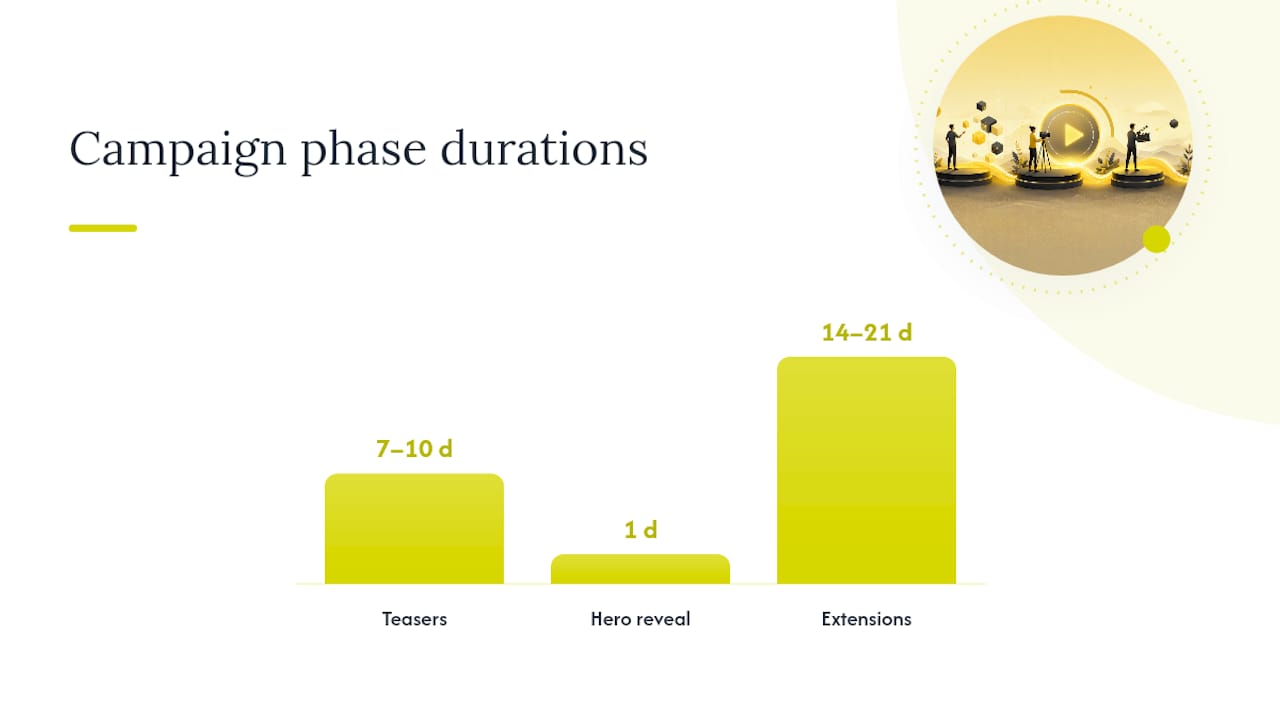
Phase one, teasers, run seven to ten days before the drop. These are detail macros: fabric texture, hardware, stitching, a hand grazing a sleeve. Phase two, hero reveals, launch on drop day: the outfit transitions, the walk-to-camera moments, the full-look payoffs timed to a beat. Phase three, extensions, roll out for two to three weeks after: behind-the-scenes clips, styling challenges, customer-facing “how to wear it” content that keeps the collection visible after the initial spike.
A complete modern lookbook for a six-look collection typically needs 24 to 30 still images paired with 8 to 12 short video clips to properly cover social, product pages, and paid ads. That ratio matters because stills carry the product-page and ad-carousel load while clips carry the discovery and watch-time load. Skimping on either leaves a gap in your funnel.
Turn the arc into a spreadsheet before you ever pick up a camera. Your shot-plan matrix should include these columns:
Look archetype (opener, transition, hero, closer)
Required frames (entry, hold, exit, cutaway)
Camera setup (lens, height, movement)
Lighting notes (key position, color temperature)
Music sync point (beat number or timestamp)
Export variants (9:16, 1:1, 16:9)
Column | Example Entry | Why It Matters |
Look archetype | Hero reveal, Look 3 | Tells the editor which phase this clip belongs to |
Required frames | Static hold, spin start, spin end, exit frame | Prevents missing the exact frames a transition needs |
Camera setup | 50mm, eye level, slow dolly in | Keeps continuity across looks shot on different days |
Lighting notes | Key light, soft fill | Preserves color fidelity between garments |
Music sync point | Beat 4 | Locks the reveal to a specific audio cue |
Export variants | 9:16 vertical, 1:1 loop | Confirms deliverables before the edit starts |
A recommended cadence for a mid-size collection runs two to three weeks: one week for wardrobe prep and location scouting, two to four days for capture, and the remaining time for editing and platform-specific exports. Mapping transitions to specific capture frames rather than improvising them in the edit bay is what separates a planned choreography from a reshoot.
Shot List, Transition Capture, and On-Set Lighting
Every transition you want in the final edit has to exist as a specific, capturable frame. If it can’t be shot, it can’t be reliably built later without pulling the model back for a reshoot, which is the single most preventable cost overrun in lookbook production.
Here’s what each common transition actually requires on set:
Match-cut: two clips where the model’s silhouette or hand position aligns at the cut point, requiring you to mark the exact pose on a monitor and repeat it precisely for the second setup.
Spin outfit-swap: a full 180-degree turn where the outfit change happens off camera between the spin’s start and end frames, timed so the fabric motion at exit matches the fabric motion at entry.
Hand-wipe: a hand or fabric passes directly across the lens, requiring a clean foreground pass with even lighting so the wipe doesn’t flash or flicker.
Snap-to-beat: a pose lands exactly on a musical hit, which means shooting slightly ahead of tempo so the editor has frame-level room to nudge the cut.
For macros, a mid-range lens between 85mm and 105mm holds detail on stitching and texture without distortion. For mid-shots and reveals, a 35mm to 50mm range keeps the garment’s proportions honest, which matters more for fashion than almost any other genre. Walk sequences need a slow, steady dolly or gimbal move. Whatever you use, never handheld a reveal frame. Even mild shake reads as amateur the instant a viewer’s eye is meant to track fabric movement.
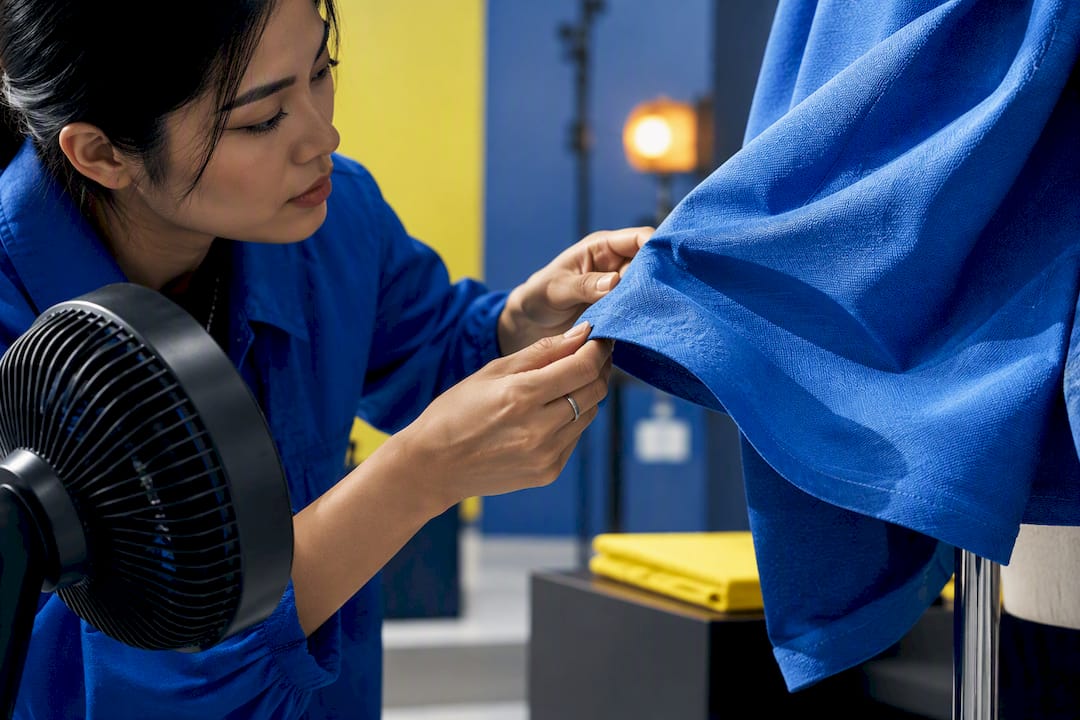
Wardrobe and styling notes deserve their own pass before the shoot day. Fabric that reads as flat on a hanger often needs airflow, a fan, or deliberate movement cues to show how it drapes. Color fidelity depends on matching your lighting’s color temperature across every look; a garment shot under warm tungsten in the morning and cool daylight in the afternoon will look like two different products in the same edit.
Pro Tip: Shoot a static three-second “hold” frame at the start and end of every look, even ones you don’t plan to use. Editors treat these as insurance frames for cutaways, and they cost you nothing on set.
Your on-set checklist should cover model routing (who changes where, in what order), a documented change log so nobody repeats a look accidentally, redundant data backup at the end of each card, and continuity notes on hair, makeup, and accessory placement between takes.
Editing Recipes That Maximize Watch Time
The edit is where a good shot list either pays off or reveals its gaps. Placing hero reveals directly on music drops is the single highest-leverage editing decision you’ll make, because a beat-synced reveal gives the viewer’s brain a payoff that a random cut simply doesn’t deliver. This is the mechanism behind why planned transition choreography and music sync points increase watch time and platform distribution, according to production planning guidance for fashion brands: the viewer stays because the next cut feels inevitable, not arbitrary.
Match each transition to its edit recipe:
Match-cuts need frame-accurate trimming; align the pose on both clips before touching the audio track.
Spin outfit-swaps need a hidden cut disguised inside motion blur, usually two to four frames into the spin’s fastest point.
Hand-wipes need a clean crossfade underneath the wipe, invisible because the foreground motion already hides the seam.
Snap-to-beats need the cut placed one or two frames early, since viewer perception lags slightly behind the visual hit.
A short-form arc with real transitions consistently outperforms a static slideshow on retention and saves, largely because choreographed reveals give viewers a reason to keep watching instead of scrolling past a still image in under a second.
Run a proxy workflow so you’re not dragging raw 4K files through every cut decision, then do a single color consistency pass across the whole timeline before versioning out to individual channels. Export checklist: confirm resolution matches the target platform, use H.264 or H.265 depending on the destination, and test loop points on any clip meant to play on repeat, since a visible seam at the loop point is one of the most common amateur mistakes.
Deliverables and Platform Specs
One capture set should generate every deliverable you need if you plan the crops in advance rather than reframing after the fact.
When cropping a reveal from 16:9 into 9:16, keep the subject centered through the widest part of the movement, not just the starting pose, or you risk cutting off the exact motion that sells the garment. Frame every hero reveal with enough headroom and side margin to survive a crop into a tighter ratio without losing the moment.
Name your files by look number, phase, and export variant (for example, “look3_hero_9x16”) so A/B testing across channels doesn’t turn into a hunt through unlabeled folders. Consistent naming also makes it far easier to hand assets off to a paid media team without a briefing call.
AI and Hybrid Pipelines for Faster Lookbooks
AI-generated motion has a real place in lookbook production, but it has a real ceiling too. AI tools are strong at atmosphere: backgrounds, ambient motion, quick concept visualization. They’re weak at fabric physics, which means a generated clip of a dress will rarely move the way that exact fabric moves on a real body. AI fashion lookbook generators can produce consistent model and styling results in a fraction of the time and cost of a studio shoot, but commercial work still needs live-garment inserts for the fidelity a paying customer expects.
A tested hybrid recipe looks like this:
Brief the collection and define the visual mood.
Generate still concept images to lock the aesthetic before booking a set.
Use selective image-to-video generation for atmosphere and B-roll only.
Insert real, live-captured garment footage for every reveal and transition that needs to sell fabric truthfully.
Run a single color pass across generated and live footage together so nothing looks stitched together.
One publicly documented project used neural generation alongside DaVinci Resolve to produce an AI-generated lookbook film for Jacquemus, a useful demonstration of both the creative potential and the amount of editorial cleanup generated footage still needs before it’s commercially usable.
Pro Tip: Never let a generated clip carry your hero reveal. Reserve AI-generated frames for the moments a viewer glances at, and save real capture for the moments they’re meant to stare at.
Choose full production when color-critical garments or licensing details demand precision. Choose hybrid when timelines are tight and atmosphere matters more than garment detail. Choose AI-first only for early concept decks, never for a finished commercial deliverable.
Budget and Timeline: What Each Option Actually Buys
Costs and timelines vary widely by scope, but three general bands hold up across most collections:
DIY baseline: lowest cost, built on owned or rented gear and a small crew; buys you full creative control at the price of your own time and a steeper learning curve on lighting and transitions.
AI hybrid: moderate cost, blends generated atmosphere with a shorter live-capture day; buys faster turnaround without sacrificing garment-critical shots.
Full-service studio: highest cost, buys a dedicated crew, professional lighting, and a finished multi-channel deliverable set without your team managing the shoot floor.
Timeline templates follow the same logic. A fast-turn capture runs one day of shooting plus a week of editing. A hybrid rapid-turn project runs two to five days end to end. A full campaign with multiple looks and channels runs four to eight weeks. Specialized models, multiple locations, custom VFX, and color-critical garments all push both cost and time upward, sometimes significantly.
How Vainnewyork Approaches a Lookbook Brief
A lookbook campaign only works if the planning holds up under a real shoot day, which is why Vainnewyork treats the shot-plan matrix as a contract with the editor before a single frame gets captured. That discipline traces back to the same production fundamentals covered in our complete guide to video production, applied specifically to fashion’s reveal-driven pacing.
Briefing a studio, Vainnewyork included, goes faster when a brand arrives prepared:
A locked look order and drop date.
Reference clips for the transitions you want (even rough phone footage helps).
A clear list of which channels need which aspect ratios.
Any garments with color-critical dye or texture that need special lighting attention.
Ask any studio how they handle transition capture specifically. If the answer is vague, that’s a signal the shot list wasn’t built before the shoot day.
Where Lookbook Video Is Heading
Editorial choreography, not raw production value, is becoming the real discoverability advantage. Brands that measure success by views alone are missing the better signals: profile visits, saves, and product-page traffic tell you whether the reveal actually converted attention into intent. The smartest move for 2026 is building a reusable shoot architecture, a consistent model and lighting reference, so every future drop scales off the last one instead of starting from zero.
— Vain.
Ready to Brief Your Lookbook Campaign?
Vainnewyork is the alternative to piecing together a lookbook from freelancers and stock footage: one collaborative team handles the video capture, the editorial arc, and the platform-specific exports so nothing falls between departments. When you bring a brief to Vainnewyork, you get a review of your look order and drop date, a sample shot plan built around your specific transitions, and a realistic timing estimate before any camera rolls.
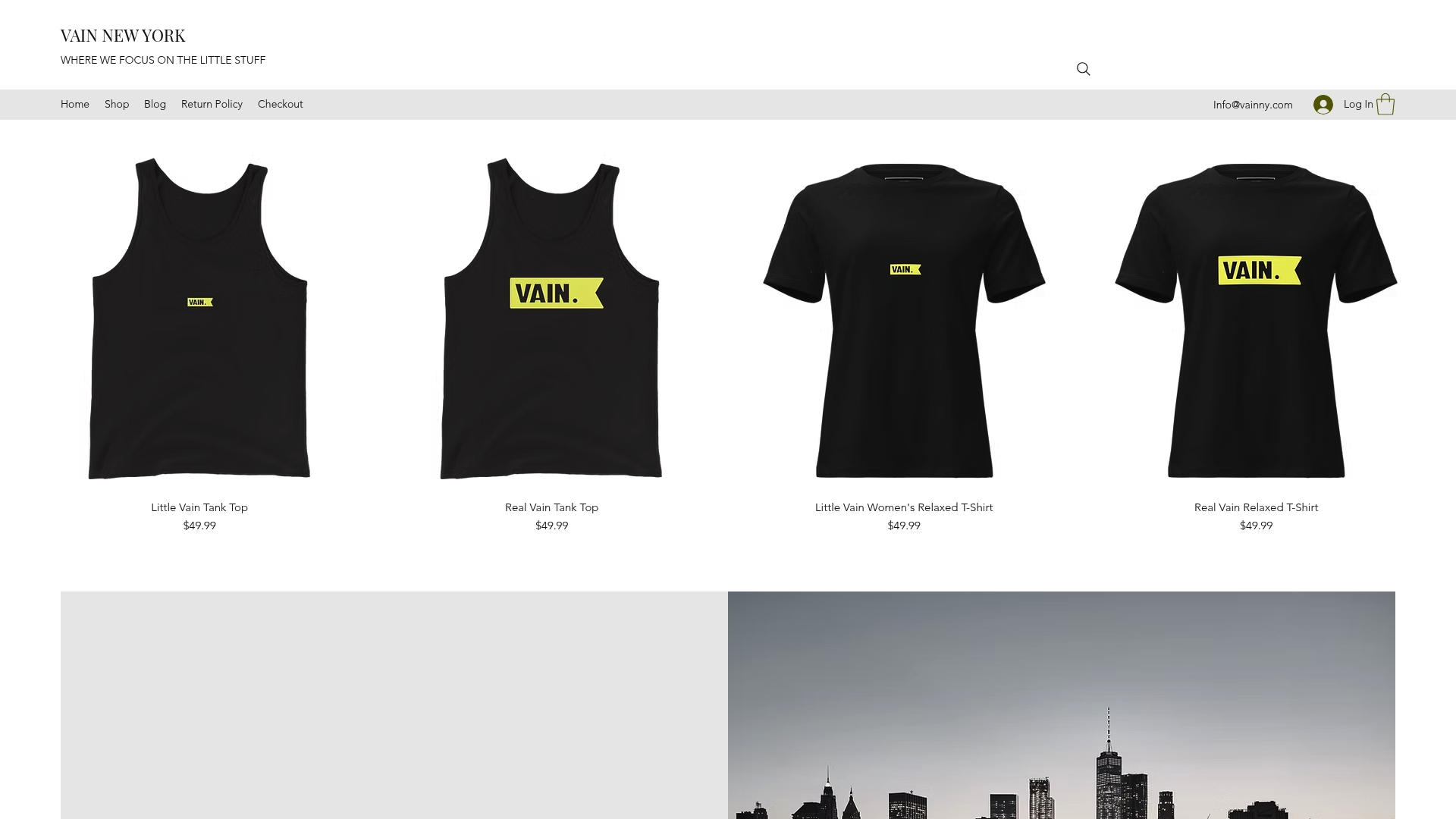
Start by outlining your look count, target drop date, and the channels you need covered most (Reels, Shopify loops, email). Vainnewyork’s video production services cover exactly this kind of campaign-first lookbook work, from planning through final export, and the team can also help build the visual branding groundwork that makes future drops faster to shoot. If your brand also wants studio-branded merchandise to extend the campaign, Vainnewyork’s Studio Hoodie and related apparel line are made to order for exactly that kind of extension. Send over your collection details to get a brief reviewed and a timing estimate back.
Sources
FAQ
What Is a Lookbook in Filmmaking?
A lookbook in filmmaking is a short video presentation, usually a series of clips, that showcases a clothing collection through movement, styling, and editorial pacing rather than a written catalog. It typically blends detail macros, outfit reveals, and styling moments into one cohesive campaign piece.
What Is a Lookbook Photoshoot?
A lookbook photoshoot is a coordinated session that captures a collection’s looks in a consistent visual style, usually planned around a set location, lighting scheme, and model or set of models. For motion lookbooks, the shoot also captures the specific transition frames, like spin starts and exit poses, that the editor needs later.
What Clothes Look Best on Video?
Fabrics with visible movement, like flowing dresses, structured outerwear, and textured knits, tend to read best on video because motion reveals drape and texture that a still photo can’t capture. Flat, stiff fabrics benefit from added airflow or deliberate movement cues on set to show the same dimension.
How Do I Create a Lookbook Video?
Start by mapping your collection into a three-phase campaign arc: teasers, hero reveals, and extensions, then build a shot-plan matrix that lists the exact frames each planned transition requires. From there, capture with consistent lighting and lens choices, edit reveals to land on music sync points, and export to the aspect ratios your channels need, or bring the plan to a studio like Vainnewyork for a full production.
Recommended
Comments