Creator Workflows: Your 2026 Guide to Smarter Production


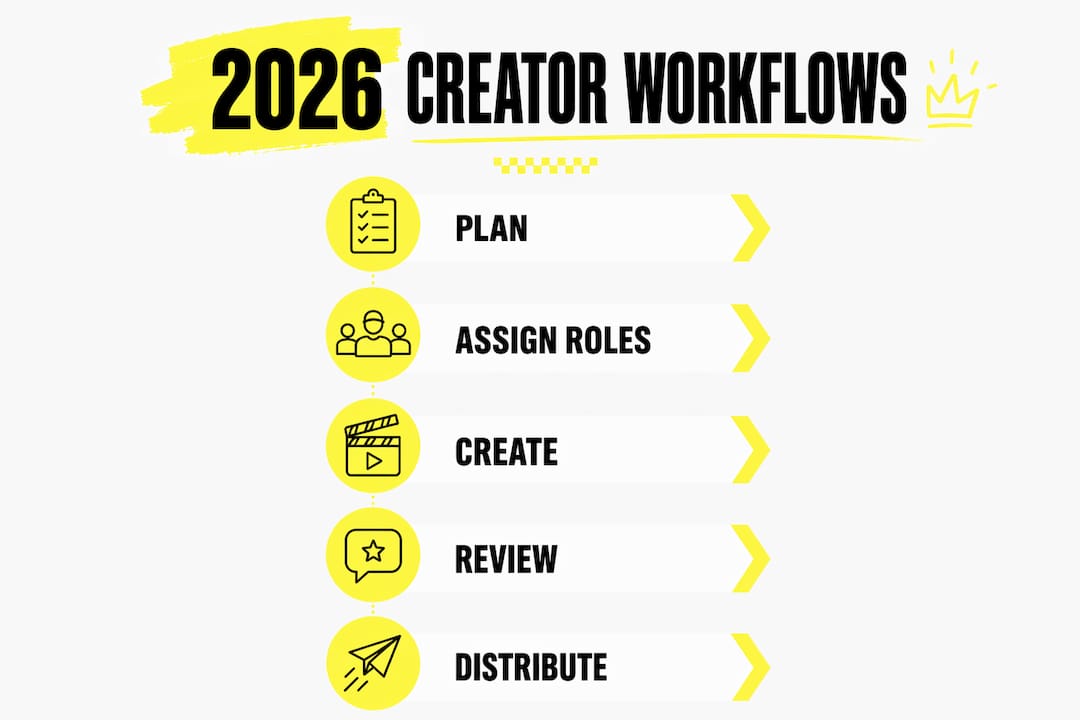
Structured, repeatable creator workflows are the single most effective way to move content from concept to delivery without losing quality, momentum, or your team’s sanity. At their core, these workflows define every stage of production, from the initial brief through asset creation, review cycles, approvals, and final distribution. We’ve seen firsthand at Vainnewyork how the difference between a chaotic production and a smooth one almost always comes down to whether a real system exists, not whether the talent does.
Table of Contents
What creator workflows actually are and why they matter
A creator workflow is the structured, repeatable process that turns creative requests into finished work, acting as the backbone guiding projects from concept through production, review, and delivery. Think of it as the architecture beneath the artistry: the scaffolding that lets your best creative instincts flourish without the friction of endless email chains or misplaced files.
The key components of any solid workflow include:
Project briefing: Aligns creative work with business strategy before a single asset is produced.
Asset creation: Design, writing, or production work with clear entry and exit criteria per stage.
Review cycles: Structured feedback tied directly to the brief, not scattered across Slack threads.
Approval routing: Defined decision-makers with automated handoffs when statuses change.
Final delivery: Content formatted and distributed to the right channel in the right format.
Organizations now produce content across social media, websites, email, video platforms, and emerging digital spaces simultaneously. Without a defined process, that volume creates breakdowns fast.
How role clarity and RACI frameworks sharpen accountability
Clear RACI roles map who creates, reviews, and approves work within creative teams, improving accountability and reducing the confusion that stalls production. RACI stands for Responsible, Accountable, Consulted, and Informed. Assigning each label to each stage, from ideation through final sign-off, eliminates the ambiguity that turns a two-day revision into a two-week delay.
Visual tools like swimlane diagrams take this further by depicting exactly where work moves between people and departments. When a designer can see that their asset hands off to a brand reviewer before reaching legal, they stop guessing and start delivering.
Role clarity is not bureaucracy. It is the creative team’s best defense against the bottlenecks that kill momentum. Most delays occur during approval stages rather than creation, and structured workflows with clear ownership help reduce those review cycles.
Pro Tip: Build your RACI chart before the project starts, not after the first missed deadline. Retroactive role assignment almost never sticks.
Common mistakes that derail creative teams
The most frequent pitfalls in creative workflows include scattered files, version control chaos, long approval delays, and tool-switching fatigue that increases friction at every handoff. These are not talent problems. They are systems problems, and they compound quickly as team size grows.
Watch for these specific failure patterns:
No single source of truth: Files spread across Google Drive, email attachments, and Slack threads create redundant work and missed versions.
Vague feedback: Comments like “make it pop” without reference to the brief waste revision cycles.
Approval sprawl: Too many stakeholders with sign-off authority, none of whom have a deadline to respond.
Tool overload: A 15-tool stack where each platform holds a different piece of the project is a coordination tax, not an asset.
Focusing purely on craft without operational structure is the quieter mistake we see most often. Creative energy spent searching for the right file version is creative energy that never reaches the work itself.
How automation frees your creative team to do what they do best
Intelligent automation handles repetitive tasks such as asset formatting, metadata tagging, version control, and approval routing, allowing creative teams to concentrate on strategy, storytelling, and brand innovation. The operational lift is real: campaign briefs can activate automated workflows, design templates can populate with campaign data, and approval requests can route to stakeholders the moment an asset is ready.
Automation manages repetitive procedures, while designers and strategists focus on storytelling, innovation, and brand differentiation. The future of content production is a hybrid model where technology supports human creativity rather than replacing it.
Use cases where automation delivers the clearest return:
Asset tagging and categorization: AI-powered systems tag imagery automatically, eliminating hours of manual metadata entry.
Approval routing: Status changes trigger automatic notifications to the right reviewer, cutting follow-up emails.
Format variants: A single master asset generates platform-specific sizes and formats without manual resizing.
Best practices for collaboration across distributed creative teams
Effective collaboration starts with a single source of truth: a centralized digital asset management system where every team member pulls from and saves to the same space. Centralized DAM with standardized metadata helps prevent redundant work and reduces the search delays that can drain hours from production time.
Beyond file management, structured feedback loops define who has final approval authority and tie every comment directly to the brief. This replaces chaotic back-and-forth with a clear revision path. For distributed or hybrid teams, cloud-based collaboration tools make real-time co-creation possible regardless of time zone.
Practical standards worth building into your process:
Contextual comments attached directly to the asset, not in a separate document.
Defined revision rounds with a cap on the number of cycles before escalation.
Communication standards that specify which tool handles which type of message.
Regular async check-ins that keep remote contributors aligned without meeting fatigue.
Which tools actually support creator workflows in 2026
The right content creation tools depend on team size and content type, but a lean stack with minimal overlap consistently outperforms a sprawling one. Every additional tool adds coordination overhead.

Workflow stage | Tool category | Examples |
Planning and briefs | Project management | Asana, Trello, Monday |
Asset creation | Collaborative documents | Google Docs, Figma |
Review and approval | Annotation and feedback | Frame.io |
Asset storage | Digital asset management | DAM platforms with AI tagging |
Distribution | Scheduling and automation | Buffer, Later, Hootsuite |
Performance analysis | Native analytics | Platform-specific dashboards |
Look for tools that integrate with each other. A project management platform that pushes status updates to your communication tool removes an entire category of manual follow-up.
How to design your creative process step by step
Building a media production workflow from scratch follows a consistent sequence regardless of team size or content type.
Map your current process. Document what actually happens between idea and published asset, including where things wait and where they fail.
Define roles and ownership. Assign project ownership, creative direction, production execution, quality assurance, and final approval authority before work begins.
Build brief templates. A complete brief includes target keyword, audience, content goal, format, tone, required data points, and conversion intent.
Design approval paths. Limit sign-off authority to the people whose input genuinely changes the work.
Set up resource management. View team capacity before assigning work, not after a deadline slips.
Build feedback and revision loops. Cap revision rounds and tie every comment to a specific brief requirement.
Establish success metrics. Define what “done well” looks like before production starts.
Automate repetitive tasks. Scale content production by adding automation at bottlenecks like editing or approval routing rather than simply adding headcount.
How to measure whether your workflow is actually working
Workflow efficiency becomes visible only when you track the right signals. High-performing creative teams measure cycle time, revision volume, bottleneck frequency, and stakeholder response times, then use those numbers to refine the process.
Key metrics worth tracking:
Cycle time: How long does a piece of content take from brief to delivery?
Revision rounds: How many feedback cycles does each asset require on average?
Approval response time: How long do stakeholders take to respond once an asset is routed?
On-time delivery rate: What percentage of projects hit their original deadline?
Monthly reviews of these figures reveal where the process is healthy and where it needs structural change. A rising revision count usually points to a brief problem, not a talent problem.
What optimized workflows look like in practice
Consider a video production team managing a multichannel campaign. Before workflow structure, assets lived in five different storage locations, approval emails went unanswered for days, and every launch required a last-minute scramble. After implementing a centralized DAM, a RACI chart for each content type, and automated approval routing, the same team cut their average cycle time and reduced revision rounds by standardizing the brief template.
Marketing teams handling paid ads, landing pages, and social assets see similar results. When campaign briefs activate automated workflows and design templates populate with campaign data automatically, the team’s energy shifts from coordination to craft. That shift is where the real creative output improves.
For crew management across larger productions, the same principles apply: clear roles, centralized assets, and automated handoffs keep every contributor aligned without requiring a producer to manually chase every status update.
Vainnewyork brings creative vision and operational craft together
Vainnewyork exists at the intersection of creative ambition and production discipline. As a creative consultancy and production company, we work with a growing network of collaborators to deliver content creation, marketing strategy, brand development, and audience growth, built on the same workflow principles this article covers. The difference is that we handle the operational architecture so your team can stay focused on the work that actually moves culture.
If you’re ready to build content that reflects both craft and intention, explore our shop or go straight to checkout to take the next step with Vainnewyork.
Key takeaways
Structured creator workflows reduce production chaos, improve accountability, and free creative professionals to focus on strategy and storytelling rather than administrative coordination.
Point | Details |
Define every stage | Map briefing, creation, review, approval, and delivery before any project begins. |
Use RACI for roles | Assign Responsible, Accountable, Consulted, and Informed labels to every workflow stage. |
Automate at bottlenecks | Add automation at editing or approval stages rather than simply increasing headcount. |
Centralize your assets | A single DAM with standardized metadata eliminates redundant work and version confusion. |
Vainnewyork in practice | Vainnewyork applies these workflow principles as a creative consultancy and production partner for content, brand, and audience growth. |
Recommended
Comments