Cut Rework for Teams: Content Review Workflow That Starts With Brief


A content review workflow is the staged sequence a piece of content moves through, from brief to publish, with defined checkpoints, named reviewers, and clear exit criteria at each stage. Review means checking quality against a standard; approval means one accountable person signs off on a specific version. The best approach pairs a checklist-driven staged process with a single named approver and stage SLAs. Done right, cycles shorten, rework drops, and every asset carries an audit trail.
TL;DR:
Clear moderation of versioning and approval authority prevents review stalls by tying approval to specific versions and a single accountable approver.
Automating objective checklist items reduces manual errors and speeds up stages, with tools for on-asset comments and automated quality checks.
Stage SLAs should be strictly enforced, with typical review times of one to two business days per step, to identify and eliminate process bottlenecks.
Smaller teams should focus on compressing roles rather than skipping steps like the locked brief or designated approver to avoid rework.
Post-publish review and feedback loops are essential for continuous workflow improvement, feeding performance data back into future briefs.
Table of Contents
Why a Structured Content Review Workflow Matters
Most production bottlenecks aren’t a talent problem. They’re a traffic-control problem. When reviewers work from different assumptions about what “done” means, an asset bounces between drafts, picks up conflicting notes, and loses days to reconciliation instead of revision. We’ve watched teams treat this as a motivation issue when it’s actually a design flaw in how work moves.
A clear content review process fixes this by making the standard visible before work starts, not after a draft lands in someone’s inbox. The payoff shows up in a few concrete ways:
Speed: fewer rounds because feedback arrives against a fixed checklist, not shifting personal taste.
Consistency: every asset gets checked against the same criteria, regardless of who reviews it.
Reduced risk: legal and compliance issues surface at a defined stage instead of after publish.
Better asset reuse: approved, versioned content is easier to repurpose because its history is documented.
Tying review criteria to measurable outcomes, like engagement targets or compliance flags, turns “does this feel right” into “does this meet the bar,” which is a much faster conversation.
Common Challenges That Slow or Break Content Reviews
Most broken workflows fail in the same handful of predictable ways, and recognizing which one is yours is the fastest path to fixing it.
Version ambiguity: files named “final_v3_ACTUALfinal” mean reviewers can’t tell what they’re actually approving.
Committee approvals: when five people can say no and nobody can say yes, assets stall in permanent limbo.
Scattered feedback: comments split across Slack threads, email chains, and shared drive notes force someone to manually reconcile conflicting instructions.
No exit criteria: without a defined “done” for each stage, reviewers keep adding notes indefinitely.
Unclear approver: nobody is sure who has the authority to move an asset to the next stage, so it waits.
Every one of these traces back to the same root cause: the workflow was never designed, it just accumulated. A studio-level fix starts by anchoring feedback to the asset itself rather than a filename, which is the single change that resolves the most confusion fastest, according to guidance on creative review and approval design.
Building a Step-By-Step Content Review Workflow
A working content approval process moves through six checkpoints, each with its own gate. Skipping a gate to save time almost always costs more time later, in the form of rework after sign-off.
Lock the brief. The brief should state the audience, the hypothesis, the format, and the definition of success before anyone starts producing. A strong brief that pins these down before production reduces downstream review rounds and cuts the subjective, “this doesn’t feel right” feedback that eats cycles later, according to research on approval workflows. Treat the locked brief as the first approval gate, not a suggestion.
Creator self-QC. Before submitting a draft, the creator runs their own checklist: brief requirements met, sources cited, metadata attached (title, format, target channel, version ID). This step alone eliminates a surprising share of round-trip feedback.
Editorial review. An editor checks structure, clarity, and brief alignment against explicit exit criteria, then marks the asset as passed or returns it with specific, checklist-tied notes rather than open-ended taste commentary.
Parallel specialist reviews. SEO, product, and legal review simultaneously when their checks are independent of each other. Running these in parallel, rather than sequentially, is one of the more reliable ways to compress a cycle, since specialist checks rarely depend on one another the way editorial and final sign-off do.
Final approval. One named approver signs off on one specific version. This is the gate that ends the process, not another round of notes.
Publish handoff and feedback loop. The asset ships with its version ID, approver name, and date attached, and an initial performance check gets scheduled to feed insights back into the next brief.
Pro Tip: If an asset needs more than two full review rounds (one substantive, one final polish), the problem usually isn’t the content. It’s a weak brief or the wrong reviewers in the loop.
Roles, RACI, and Decision Rights
Confusion over who does what is the quiet killer of review speed. A workable structure names four roles clearly: the content owner who sets strategy and priorities, the creator who produces the draft, reviewers who check specific dimensions like editorial quality or legal compliance, and the approver who holds final sign-off.
That last role only works if it belongs to exactly one person per asset. Committee-style approvals, where several people can veto, but none can greenlight, are a documented cause of stalled content, and operations guidance consistently recommends designating one accountable approver rather than a group. When that person is unavailable, name a delegate in advance rather than letting the asset wait.
A simple risk-tiered RACI helps here:
Low-risk assets (social captions, minor updates): creator and one reviewer, fast SLA.
Medium-risk assets (blog posts, campaign copy): creator, editorial reviewer, one approver.
High-risk assets (legal claims, paid campaigns, executive-facing content): creator, editorial and specialist reviewers in parallel, one approver with legal sign-off required.
Checklists and Exit Criteria That Actually Work
Vague feedback like “make it pop” wastes review rounds. Objective checklists convert taste debates into pass or fail decisions, and mapping review criteria to measurable performance and risk indicators, with explicit exit criteria before each stage, is a core practice in mature content operations.
A working set of checklists usually breaks into three buckets:
Editorial checklist: brief requirements answered, claims sourced, headings follow a logical structure, tone matches brand voice.
SEO checklist: target keyword present in title and first paragraph, headings structured for search intent, metadata and alt text complete.
Technical/QC checklist: correct format and aspect ratio for the destination channel, accessibility standards met, file naming and version ID attached.
Exit criteria should be binary wherever possible: “keyword appears in H1” is checkable; “feels optimized” is not. Design every checklist item so a reviewer checks a box instead of arguing about tone, and reserve genuine subjective judgment for the one or two dimensions where it actually belongs, like brand voice or a creative hook.
Tooling and Automation That Speed Review Cycles
Not every step in a review deserves a human’s full attention, and automation earns its place exactly where judgment isn’t required.
On-asset proofing: versioned comments attached directly to the file, not scattered across chat and email threads.
Automated QC checks: dimensions, file formats, and policy flags caught by software before a human reviewer ever opens the asset. Automating these objective checks and pairing them with proofing tools for on-asset comments measurably reduces manual errors and speeds review cycles.
Workflow orchestration: task assignment, SLA countdowns, and automated reminders tied into your CMS or DAM so nothing waits because someone forgot to check a queue.
Pro Tip: Automate the checklist items with a clear right answer. Keep humans on the calls that require judgment, like whether a headline actually lands or a visual matches brand tone.
Version Control, Audit Trail, and a Single Source of Truth
Approval must attach to a version identifier, never a filename. When approval is tied to a version rather than a name like “draft2_final,” teams stop re-reviewing defensively out of uncertainty over what’s actually approved, a distinction that studio-level workflow design treats as foundational.
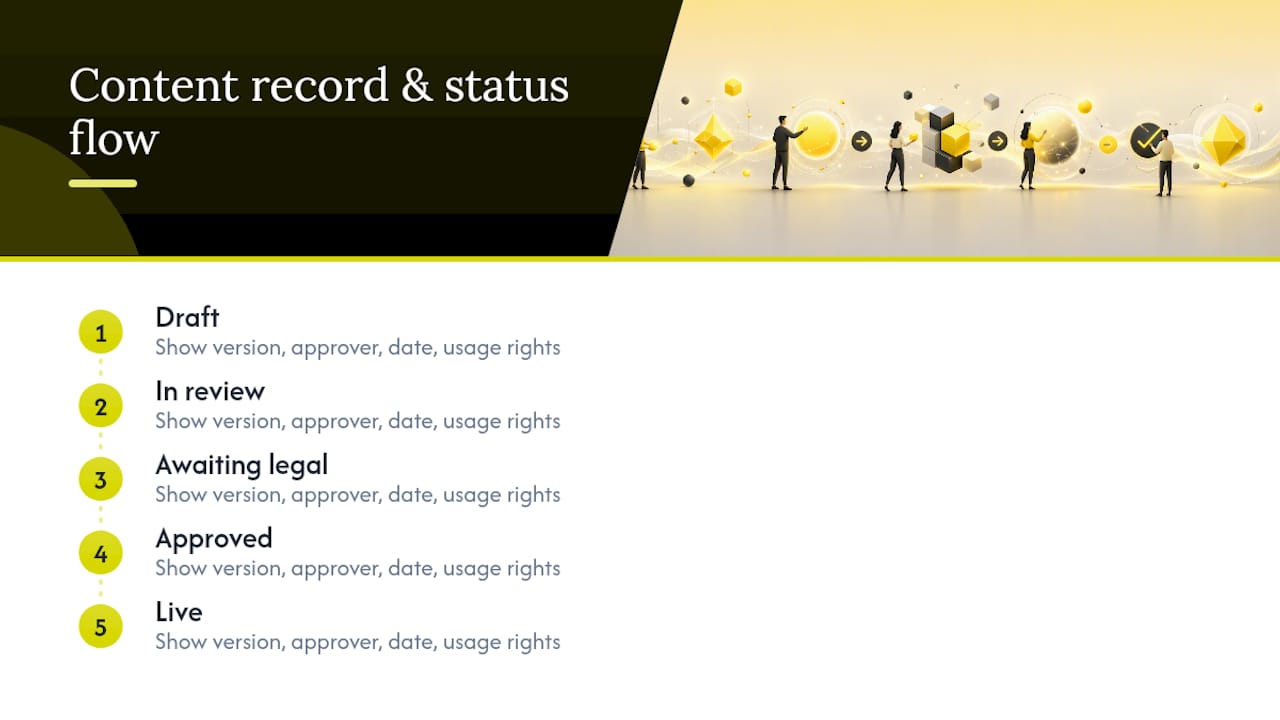
Keep every comment and approval inside the proofing tool or CMS rather than a side channel, so nothing gets lost between systems. Maintain a searchable record for each asset that shows the approver’s name, the date, the version number, and any usage rights attached. Documented, visible statuses, draft, in review, awaiting legal, approved, live, let anyone glance at a content hub and know exactly where an asset stands without pinging someone to ask.
SLAs, Timelines, and Metrics That Reveal Bottlenecks
Every stage needs a time limit or it will expand to fill whatever time it’s given. Suggested SLA ranges look like this in practice:
Stage | Suggested SLA |
Brief lock | 1–2 business days |
Editorial review | 1 business day |
Specialist review (SEO, product) | 1 business day, run in parallel |
Legal review (when required) | 2 business days |
Final sign-off | Same business day |
Setting explicit SLAs per stage and then tracking cycle time and first-pass approval rate is how teams find where content actually gets stuck, rather than guessing. The core metrics worth watching: total cycle time, first-pass approval rate, average time spent in each stage, count of overdue approvals, and rework requested after sign-off. A high first-pass approval rate paired with low rework tells you the brief is doing its job. A stage that consistently blows its SLA points straight at where to fix the process next.
Post-Publish Review Closes the Loop
The workflow doesn’t end at publish. Capture the context, channel, version ID, and approver name at the moment of sign-off, then schedule a post-publish QA check alongside an initial performance read within the first week or two.
That performance data belongs back in the next brief. If a format consistently underperforms or a checklist item never catches a real issue, revise the brief template and the checklist itself, not just the next asset. This is what separates a workflow that improves over time from one that just repeats the same mistakes on a schedule.
Why Vain. Recommends This Approach
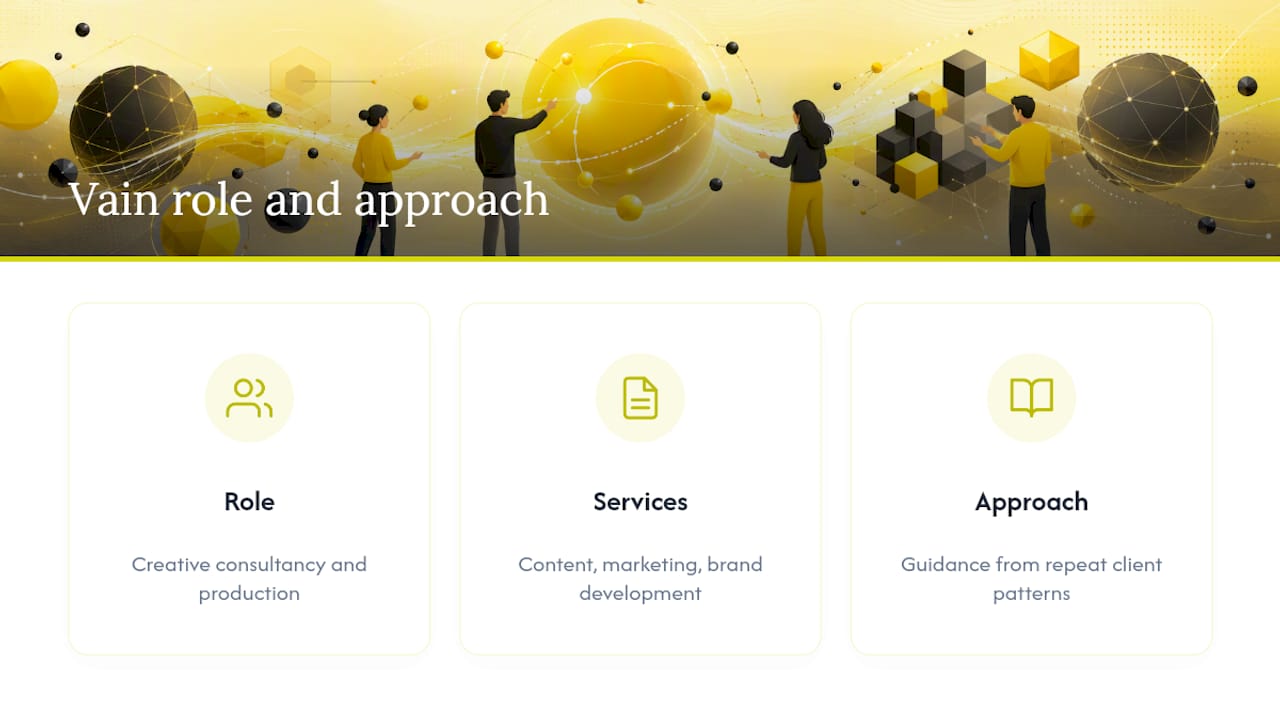
Vain. operates as a creative consultancy and production company, working through a network of collaborators to deliver content creation, marketing strategy, and brand development for clients who can’t afford a stalled approval queue. That vantage point, sitting inside client production pipelines across formats, is why we’ve published detailed guidance on creator workflows and on content strategy frameworks that marketing teams can apply directly. The recommendations here reflect patterns we see repeat across very different production environments, not a single client story.
Scaling the Workflow Without Overbuilding It
Small teams should compress roles, not skip governance. One person can wear the creator and editorial-reviewer hat, but the locked brief and the single named approver still have to exist. Larger teams earn more from parallel specialist reviews, strictly enforced SLAs, and investment in proofing tools once volume makes manual tracking unworkable. The mistake we see most often isn’t too little process. It’s a five-stage workflow bolted onto a two-person team, which just recreates the committee paralysis a good workflow is supposed to eliminate.
— Vain.
Get a Workflow Audit or Pilot From Vain.
If your review process is the reason good content ships late, Vain. is built to fix the pipeline, not just produce more assets to feed a broken one. As a creative consultancy working across video, audio, animation, and brand strategy, we audit existing workflows, build brief and checklist templates matched to your risk tiers, and set up the single-approver and SLA structure that ends committee stalls. A short pilot typically runs one working session to map your current bottlenecks, followed by a test asset pushed through the redesigned stages so you can see the SLA improvements firsthand instead of taking them on faith. If your team needs help with the metadata and tagging side of a growing content library, tools built for semantic metadata generation pair well with a cleaner review process. Reach out through Vain.'s site to scope a workflow audit or a pilot engagement for your team.
Sources
FAQ
What’s the difference between content review and approval?
Review is the quality check against a defined standard; approval is the single named sign-off that moves a specific version to publish.
How many people should approve a piece of content?
One. Designating a single accountable approver per asset is the most consistent recommendation across editorial workflow guidance for avoiding decision paralysis.
How many review rounds should a typical asset need?
Most assets need two, a substantive round and a final polish. Needing more usually signals a weak brief or the wrong reviewers, not a content problem.
What should a content review SLA look like?
Editorial and specialist reviews typically run one business day each, legal review around two business days, and final sign-off should happen the same day the asset reaches the approver.
Can small teams skip formal review stages?
Small teams can compress roles across fewer people, but they shouldn’t skip the locked brief or the single-approver rule, since those are what prevent rework, not overhead to trim.
What tools help automate a content review workflow?
On-asset proofing tools with versioned comments, automated QC checks for format and policy flags, and workflow orchestration tied to your CMS or DAM cover most of what can safely be automated.
Recommended
Comments